
Shopping cart-Positions-Texts
Shopping cart : Positions : Texts
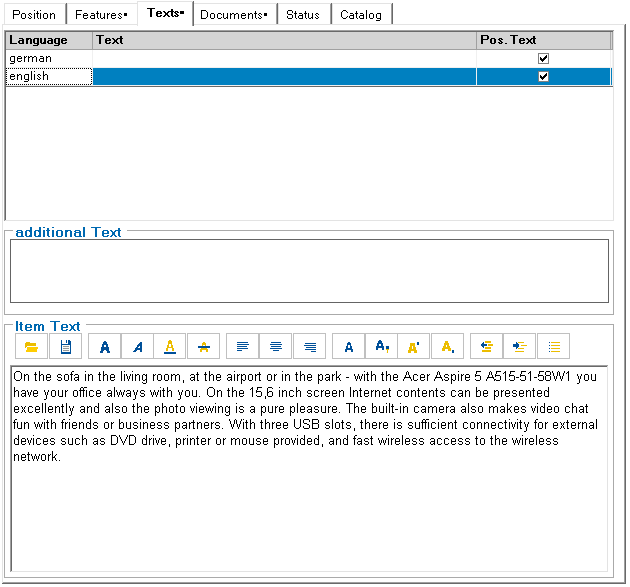
Individual texts in different languages can be stored for each shopping cart item. These texts can already be stored for the item in the product catalog. They can then be output in the various output documents under the control of ePOS.
The texts can be entered for all languages in the VP_languages view. In addition to a text, a memo text can also be edited, which is saved in RichText format. This text can contain extensive formatting information. After selecting the language, the texts can be entered directly. When switching to another language, the changes are saved automatically. See also: Shopping cart : Shopping cart : Texts
Since version 13.5, shopping cart texts can be compared with the respective text in the product catalog, provided that the origin of the item (SourceMaterialID) has not been overwritten by a user-specific set of rules.
The text comparison is started using the “Compare texts”1 toolbar icon.

1Compare texts
Clicking on the icon or button opens a dialog for selecting the language and comparing the texts.
After pressing one of the ”Current position” or “All positions” buttons, the number of differences found is displayed.
You can display these in the standard browser using the “Show result” button.