
Personen-Person
Personen : Person
All personal data such as name, department, function and authorization as well as the telecom data are managed here. In addition, an administrator is stored who is responsible for the personal data, e.g. trade fair invitations. Each person is assigned an address, which appears at the top of the editing window next to the toolbar. If a picture of the profile picture type has been added in the Documents tab, this is displayed here
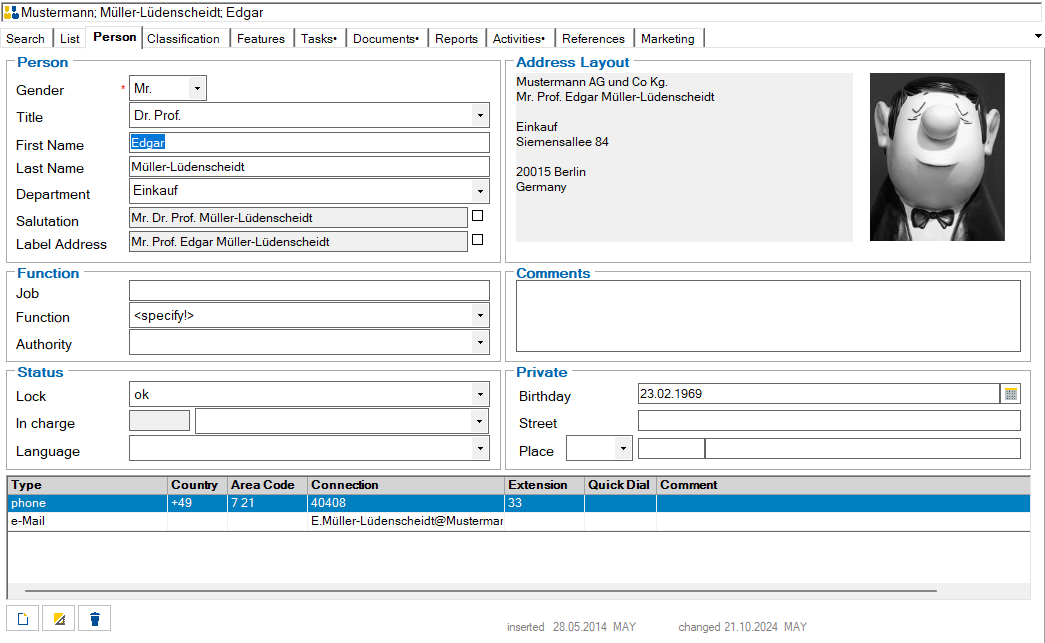
The table with the person's telecommunications information is located at the bottom of the person form. If a new entry of the type telephone or fax is created in this table, the telephone number of the address (except for the extension) is automatically copied to the new line.
Telecommunications entries are edited in the same way as telecommunications entries for addresses Addresses : Communication
Double-clicking on the line header of a line with an Internet address starts the browser with this address.
Double-clicking on the line header of a line with an email address starts Outlook with this address if the Outlook interface is available.