
Addresses-Communication
Anschriften : Communication
In this register, you have the option of recording all communication channels with the customer. Whether telephone, cell phone, Internet or e-mail. This data is displayed as a table that can be expanded as required. In addition to the communication data of the address, the communication data of all persons at the address are listed.
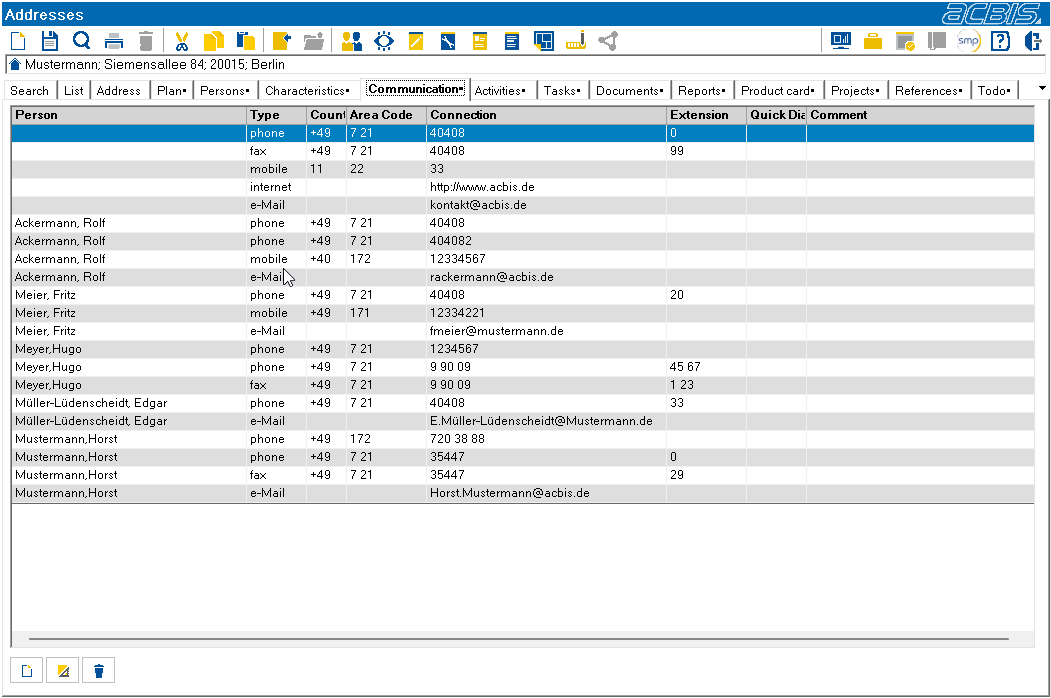
Double-clicking on a line with an Internet address starts the browser with this address.
Double-clicking on a line with an email address opens the installed email client (Outlook etc.) with this address.
Double-click on a line with a telephone number to dial the number if the TAPI interface is active.
At the bottom of the tab are three buttons for managing the entries

Create entry

Edit entry

Delete entry
The following dialog opens under “Create entry”, “Edit entry”.
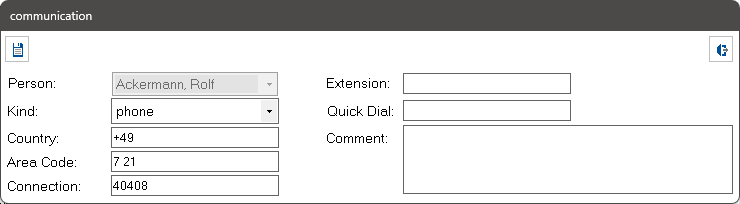
If the selected type contains a telephone number and the TAPI interface is active, the symbol:  is displayed. The telephone number is dialed by pressing this symbol.
If the active line contains an email address, the symbol:  is displayed. This opens the installed email client (Outlook etc.) with this address.
If no person is selected, the entry is assigned to the address.