
User
User
Click on the “Edit settings ”1 icon to the right of the user name to start the settings dialog.

1Edit settings
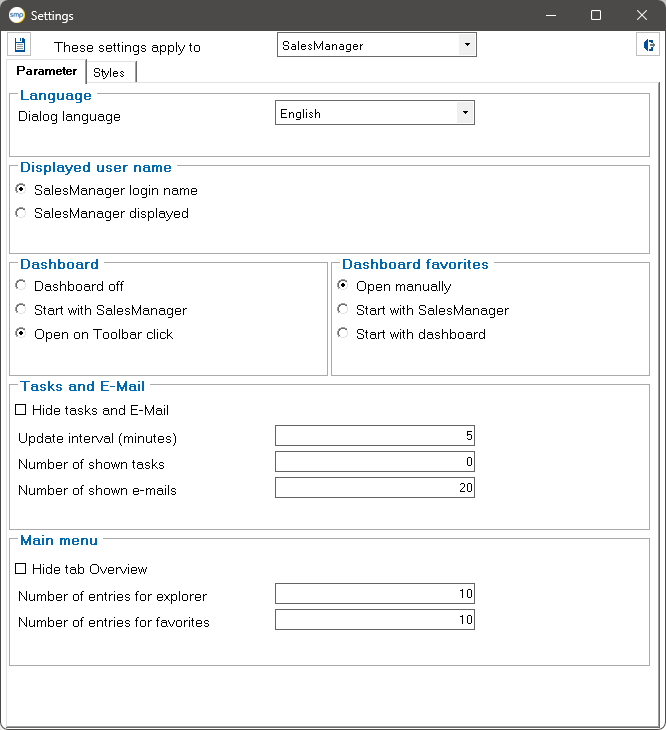
Individual settings can be made in this dialog.
Parameters tab:
Dialog language: Selection of the language in which the SalesManager dialogs are displayed.
Displayed user name: Selection of the displayed user name. You can choose between the login name in SalesManager or the display name stored for the employee.
Dashboard and Dashboard Favorites: Setting the start behavior of the dashboard and the favorites dashboards.
Tasks and e-mail: Specify whether the Tasks tab is displayed below the Explorer. Setting the interval at which new tasks are searched for. The number of tasks or emails displayed can also be set.
Main menu: Enable/disable the Overview tab in the Explorer. Specify the maximum entries per object in the Explorer and in the favorites.
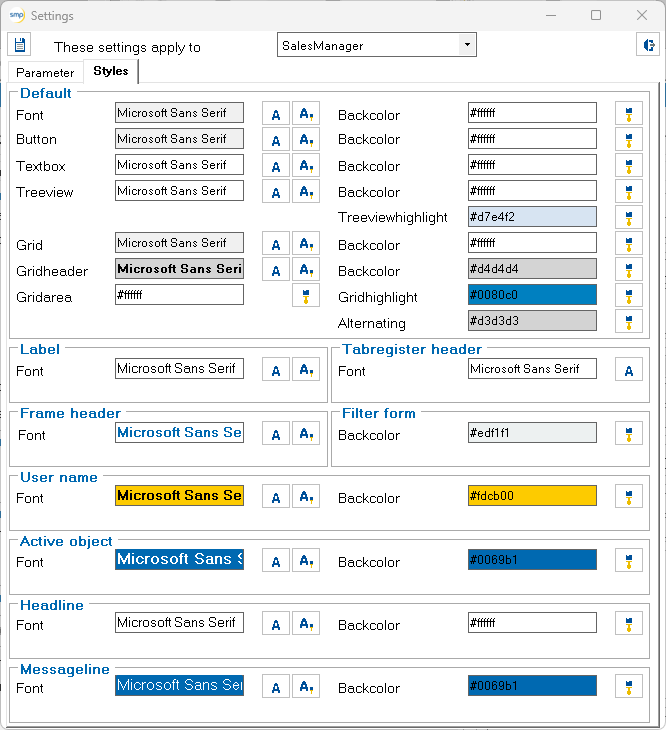
Styles tab:
The appearance of the user interface can be customized on this tab page. You can select the font, font size, foreground and background color for the various display elements.
System administrators can make the settings system-wide and lock them against changes.