
Shopping cart-Shopping cart-Status
Shopping cart : Shopping cart : Status
The status of the shopping cart can be changed in the Status sub-tab. If the status is changed to Released, the shopping cart can no longer be changed. At this point, a comparison with an ERP system is also possible. The information about this comparison can also be seen in this tab, but cannot be changed. The ePOS rules, which control the transfer to an ERP system, are responsible for setting this information. The ->ERP button is deactivated until the shopping cart has been released.
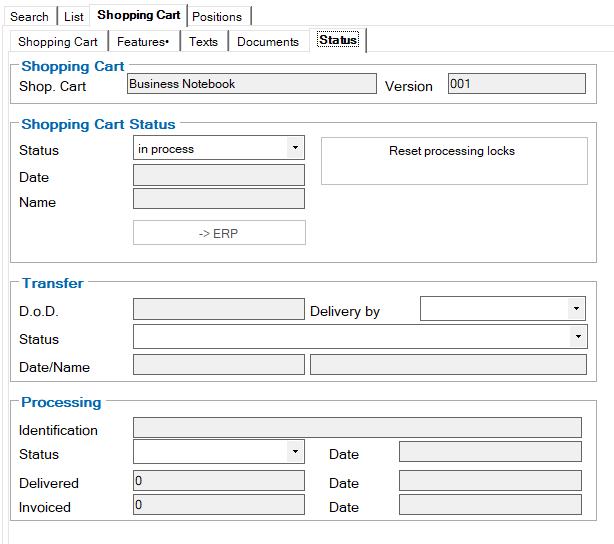
This tab also contains the “Reset editing blocks” button. An administrator can use this button to release a shopping cart for editing that has been blocked by another user. If the parameter in the settings: Block shopping cart is set accordingly (see documentation SMPNGSysHB.PDF), shopping carts or individual items are blocked against editing.