
Projects-Positions
Projects : Positions
Each project consists of a series of activities (items) that are arranged hierarchically.
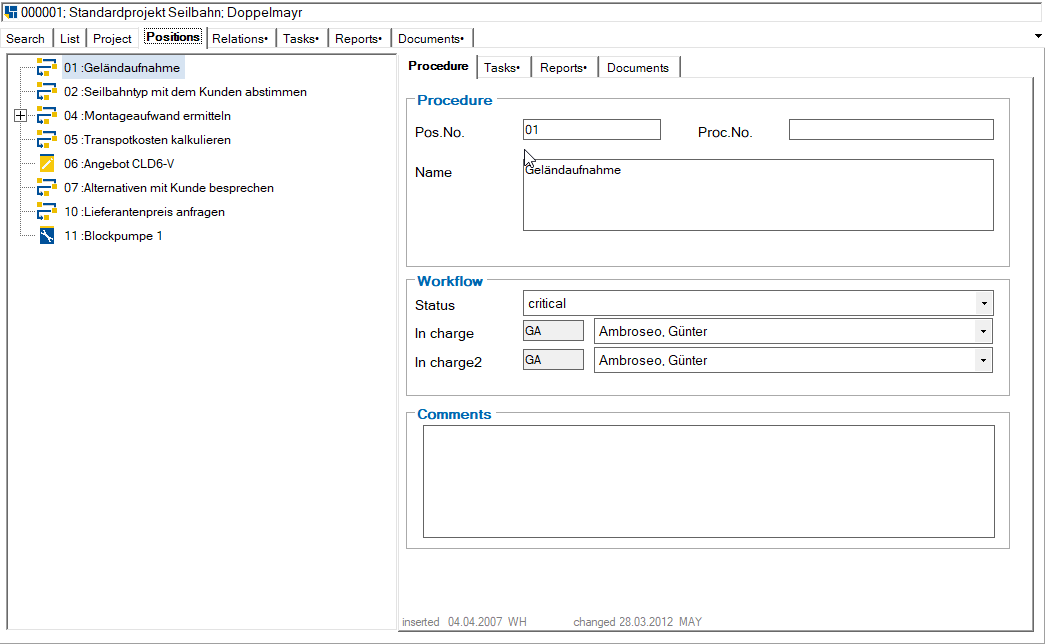
This hierarchy can be freely created by the user by interactively upgrading or downgrading an item. Items can be moved within the tree structure using drag & drop. If an item is moved to a position, it is always inserted as the last item within the target structure. If the Shift key is pressed, the position is inserted before the selected target position.
Each item has an item number that determines the order of the items within a hierarchy level. This sequence is calculated automatically and displayed immediately after the item data is saved.
An item can represent a simple process
The structure of the items can be changed using the following symbols:

move the position up one level in the hierarchy. Another way of organizing the hierarchy is by dragging a position with the mouse. After dragging and releasing, the position is always moved below the position that was active when it was released.

Expand all positions

Collapse all positions
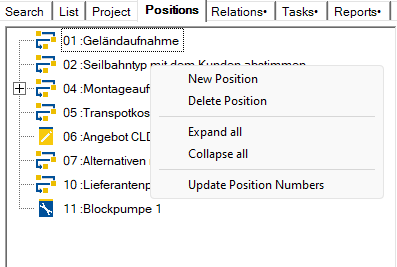
The following context menu can also be opened using the right mouse button:
Siehe auch:
Projects : Positions : Process