
Persons-List
Persons : List
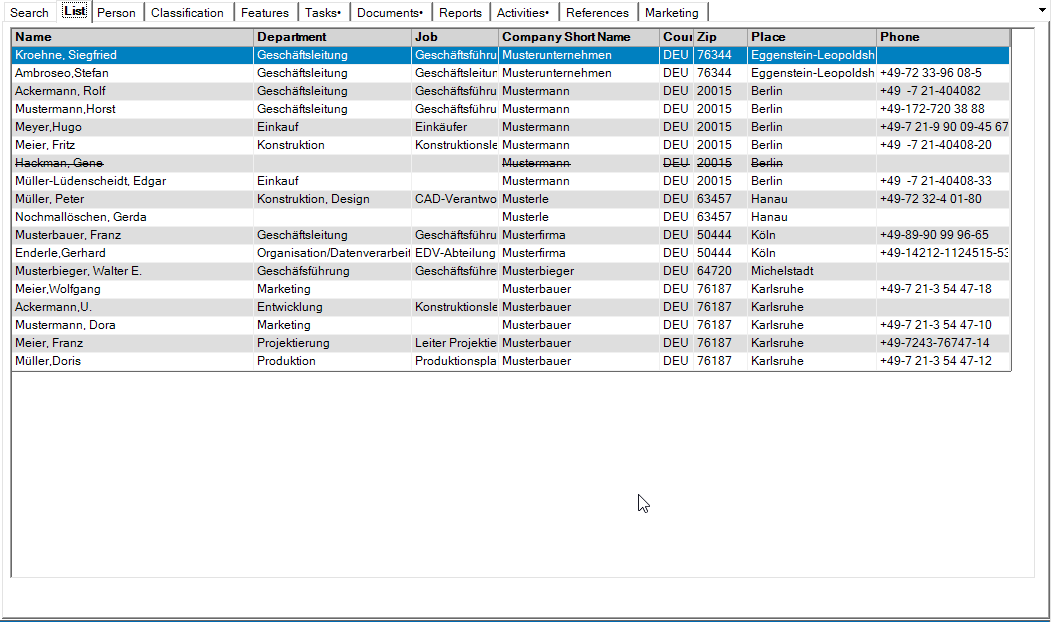
Your search results from the search filter are displayed in this tab. The data records are sorted by name. The data records displayed can be sorted by any column by clicking in the corresponding heading line. If the <alt> key is pressed at the same time, the selected column is used as a further sort criterion. If the shift key (<shift>) is pressed when clicking in the heading row, the sorting is in descending order. Sorting is also in descending order if the selected column is sorted. The sorting is indicated by a small arrow in the heading. Double-click on a row to open the corresponding person. If a person is blocked or if the associated address is blocked, the row is shown with a strikethrough.
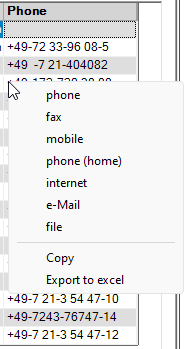
By pressing the right mouse button in the Phone column, a context menu appears which allows you to select the communication type to be displayed, to copy it to the clipboard or to export it if the export function is activated.
It is also possible to export the displayed data records as a vCard using the “Export vCard “1 toolbar icon or as an Outlook contact using the “Create/modify Outlook contacts ”2 toolbar icon After selecting the target file, all displayed data records are exported to .

1vCard exportieren

2Create/change Outlook contacts