
Orders-Relationship
Orders: Relationship
Various address types for the order are stored in this tab. In addition to the relevant customer/prospective customer address, various additional addresses such as delivery address, competitor, etc. can be stored.
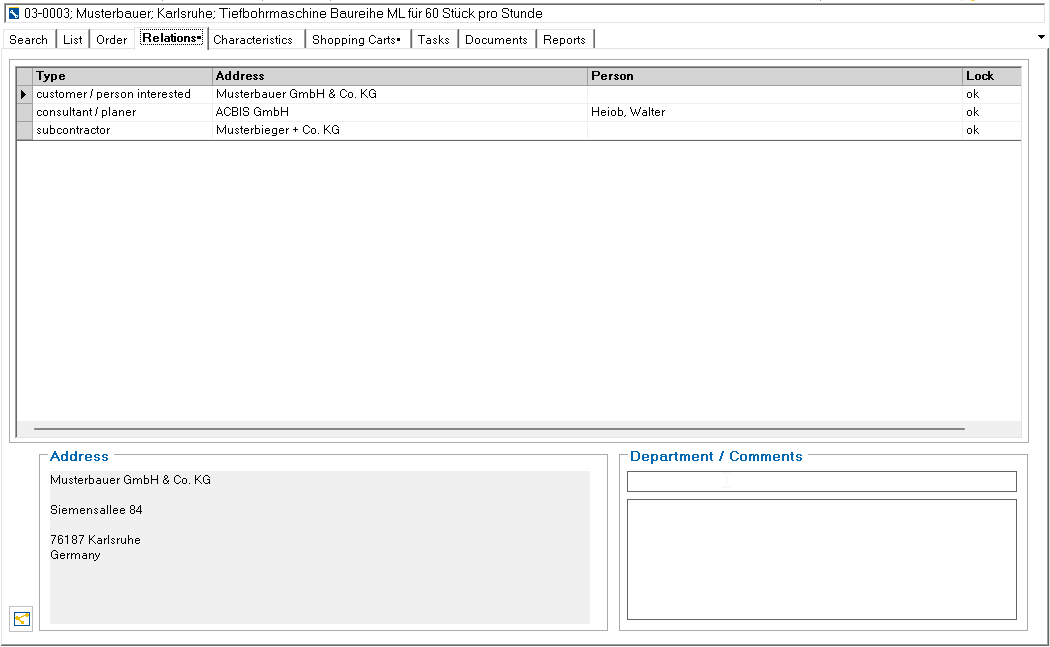
After selecting an address, further data on this address/person appears in the information field at the bottom.
Addresses can be deleted by selecting and using the \DEL\ key.
Additional addresses are assigned using the \Select additional relationships\ toolbar button.

After selecting the address type, a dialog to search for the address appears. The operation of this search is the same as in the Address search dialog for editing addresses. If the address type is declared as a contact person (table: TP_PrjansArt ), a person is searched for instead of an address.
The address or person is opened by double-clicking on the line header of a line. -> Addresses : Relationships

This button can be used to display a graphical overview of the relationships.
Double-click on the line header of a line to open the address or person.