
System-User
System : User
All users of the system are displayed here with associated data, such as department, address or areas of responsibility, and can be edited.
The sub-tabs Personal data, Roles and Assignments are important here.
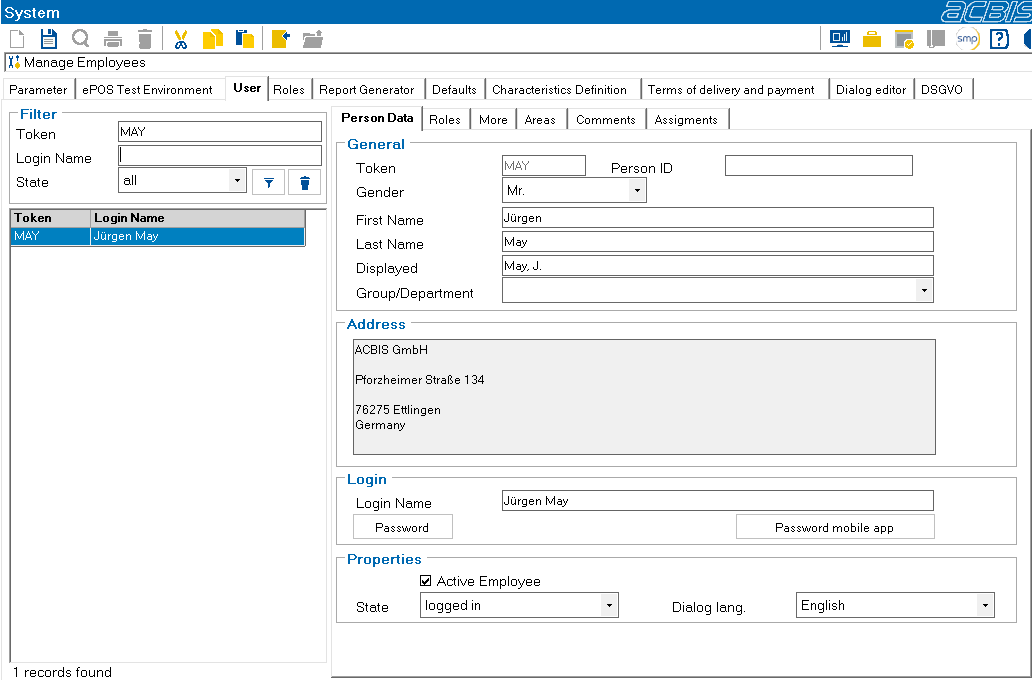
The abbreviation of a newly created employee can be changed until the employee has logged into the system for the first time.
The dialog language combo box can be used to set the selected language as the dialog language for the employee.
Manage the roles of an employee:
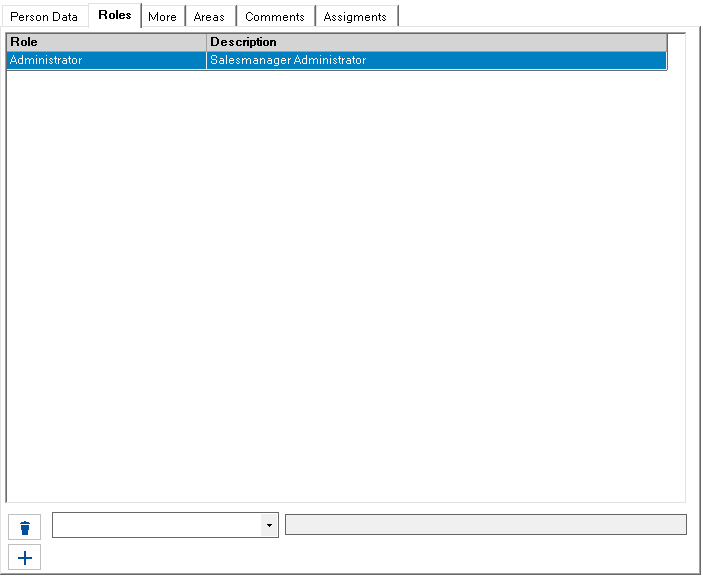
Select a role in the combo box and press “Assign the selected role to this user profile”1 to assign a role

1Assign the selected role to this user profile

Assignments tab
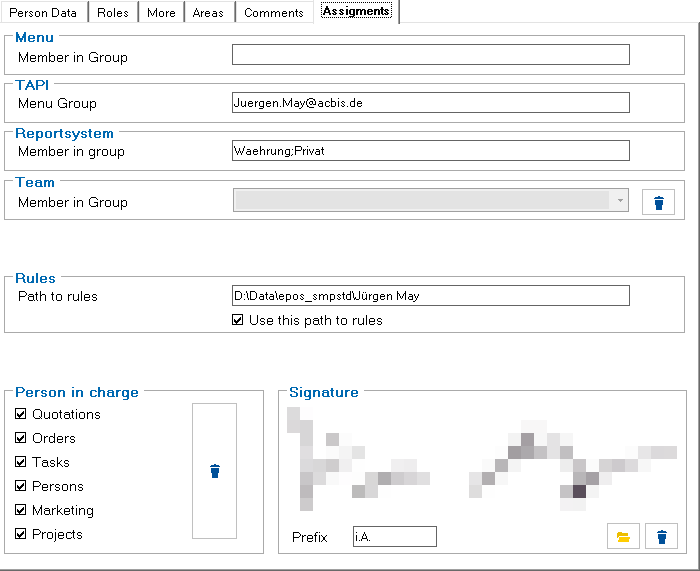
Assignment of the employee to groups etc. This tab may vary depending on the release of the various modules.
Meaning of the information:
Menu: Different system menus can be defined for different user groups by making entries in the table: TP_Menue_Usr.
TAPI: The connection set up for the user in the telephone and mode properties of the operating system
Reportsystem: If not every user is allowed to use all reports, the reports can be assigned to groups. These groups must be assigned to the users.
Market: When using the price list, a default market should be entered so that the correct prices are displayed in the catalog list.
The functions for which the employee can be selected are defined in the lower section. A preview of the employee's scanned signature, which is used to generate quotations and order confirmations, is displayed in the right-hand section.