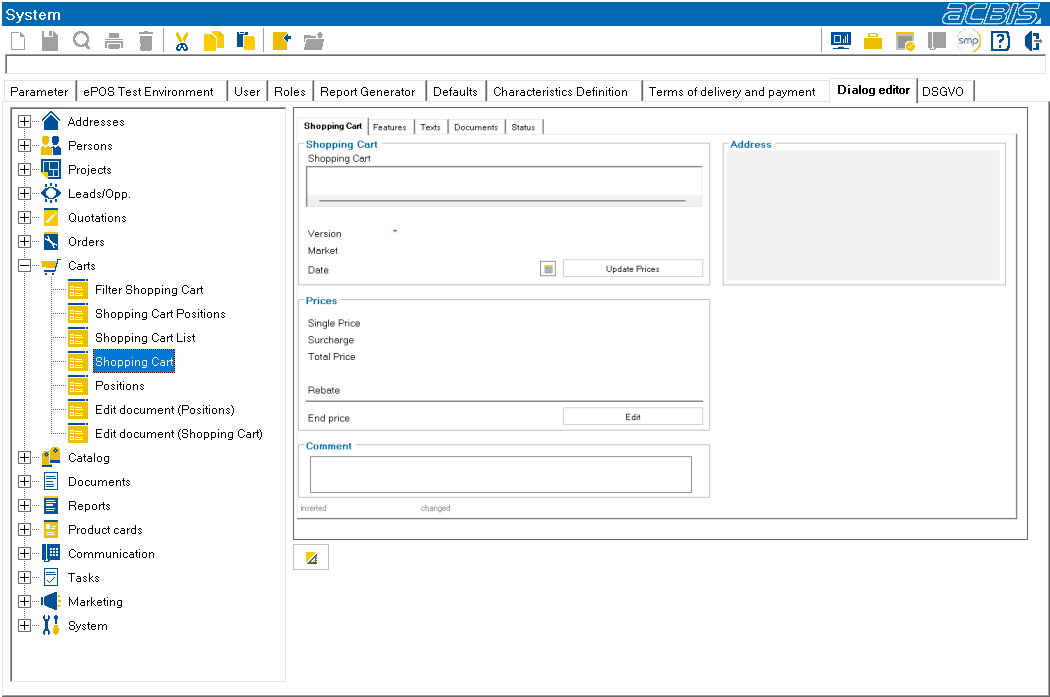
System-Dialogeditor
System : Dialogeditor
In this tab, some attributes of the SalesManager dialogs can be adapted to your own requirements.
The dialog to be edited is selected in the tree view on the left-hand side. After selection, a preview of the dialog is displayed in the right-hand window. Press the “Edit dialog”1 button to load the dialog into the dialog editor.

1Edit dialog
After saving the changed dialog, a restart of the SalesManager is necessary to apply the changes in the dialog.
ATTENTION: Only system dialogs can be edited with the dialog editor. Custom dialogs are edited as before via the \SalesManager custom dialogs\ app.