
Marketing-Campaign
Marketing: Campaign
After clicking on the SalesManager Explorer item “Marketing”, the search dialog appears first. New campaigns can be created via the “Create new campaign”1 icon.

1Create new campaign
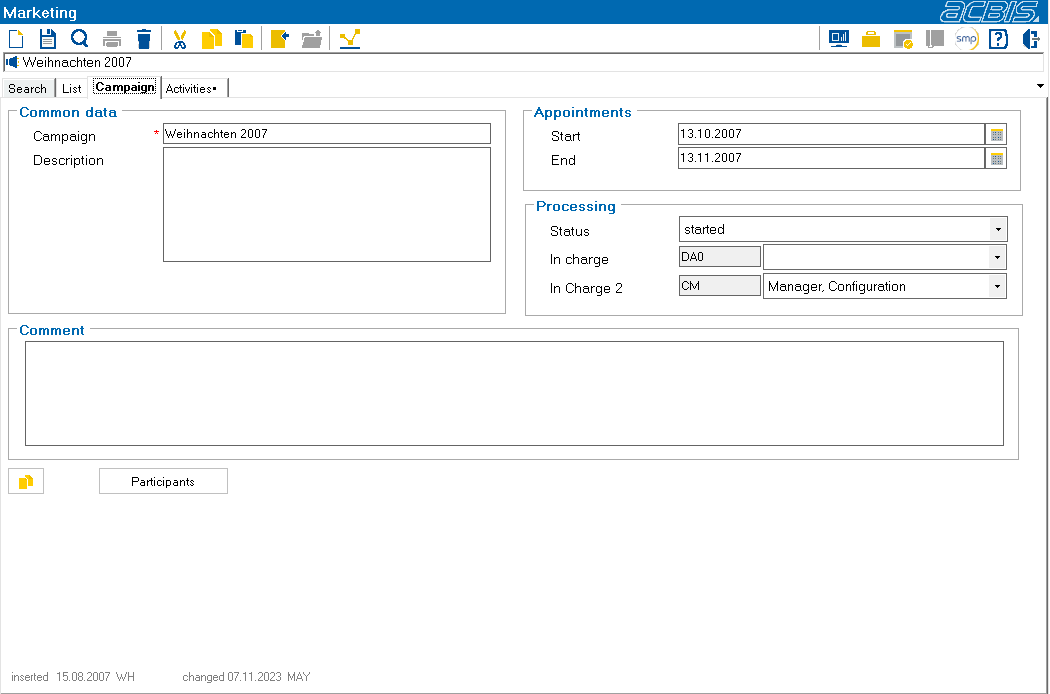
The dialog shown above is used to assign a name to the campaign, e.g.” Weihnachten 2007”. An additional text area is available for descriptions.
The start and end of a campaign is defined in the “Appointments” area.
The status (here: started) and responsibilities are defined in the “Processing” area.
The “Duplicate campaign”1 button duplicates the current campaign.

1Duplicate campaign
When duplicating campaigns, the filters of the selections are duplicated but not the participants and the status of the campaigns.
The “Participants” button can display all participants assigned to the campaign so far.