
Addresses-Adress
Addresses : Address
General address data such as address, sector, status (customer, prospective customer, etc.), comments, etc. are managed in this tab. When relevant fields (company, street, zip code, LKZ, customer no. or VAT ID no.) are changed, the system automatically checks whether entries with the same name already exist in the system. For the check to take place, the fields Company, Street and at least either Postcode or City must be filled. If yes, you can decide manually whether the change should be accepted anyway. This largely avoids accidental duplicates. When entering a zip code, the city is automatically displayed if the zip code is stored in the system. When entering the city name, the zip code is displayed if the field is still empty. If several zip codes exist for this city, a list is offered for selection.
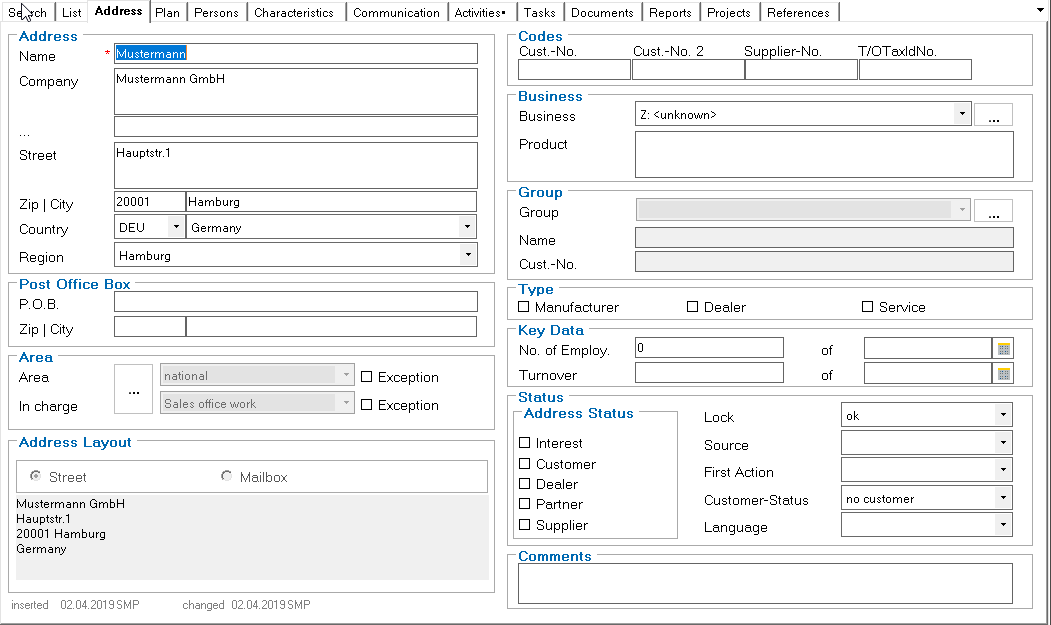
Depending on the country selected, a list of regions is also offered. These are, for example, the federal states in Germany.
In the Territory group, the address is assigned to a representative and a sales territory. This information can be used as a filter criterion when using data replication.

Click on the ... button starts an ePOS set of rules that can carry out automatic territory allocation. This must be adapted to the individual customer, as the territory allocation is structured differently in each company.